
Managing weekly plans across fragmented schedules and multiple devices wastes time and creates calendar drift. Most apps force you into cloud accounts, hide key features behind paid tiers, or lack real calendar sync. This comparison explains pricing, sync options, and device support so professionals and freelancers can pick a planner that matches their needs without trial and error.
Table of Contents
Qweekly

At a Glance
Runs entirely local on your computer with no cloud accounts required. The planner uses a deterministic overload algorithm that prevents packed days by limiting scheduled work. Pricing is a single €29 one-time fee for lifetime access and updates. Qweekly targets people who need private, low friction planning around fragmented daily availability.
Core Features
Qweekly centers on a visual weekly planner with drag and drop scheduling so you place tasks into actual micro moments. It includes an inbox for quick idea capture that accepts entries in the app or via Telegram. The app automatically reschedules unfinished work and uses an overload protection algorithm based on real availability to keep your week realistic.
Key Differentiator
The app runs entirely offline on your personal computer and uses a deterministic algorithm to prevent day overload without subscriptions or cloud services.
Pros
Because it runs locally, Qweekly keeps your planning data private and removes the need for accounts or tracking. You can start using it immediately with almost no setup thanks to the inbox and drag and drop interface. A single payment covers lifetime updates, which lowers long term cost for people who prefer one off purchases over subscriptions.
Cons
- No cloud backup. Data recovery depends on user managed local backups.
Notable Integrations
- Telegram: captures ideas from mobile or desktop into Qweekly's inbox.
- Google Calendar: listed as a planned integration to sync scheduled items.
Who It's For
Freelancers and independent makers who split blocks of time between client work and personal projects will benefit. Parents and caregivers who rely on micro moments of free time will find the week view helpful. Developers and privacy conscious professionals who prefer local storage over cloud accounts are a natural fit.
Unique Value Proposition
€29 one-time fee gives lifetime access and updates, removing subscription overhead for people juggling multiple responsibilities. That single purchase buys a local planner that prevents overload and lets you reorganize plans quickly when life interrupts. You keep full control of your files while avoiding recurring costs and cloud lock in.
Real World Use Case
A freelance developer maps client deliverables, family obligations, and a side project into the week view. When a last minute call appears, the app moves lower priority work automatically and preserves realistic daily capacity. The inbox captures quick ideas via Telegram so nothing slips through during busy days.
Pricing
€29 one-time fee, lifetime access and updates. No subscription tiers or recurring charges; the app runs locally after a single purchase.
Website: https://qweekly.eu
Tweek
At a Glance
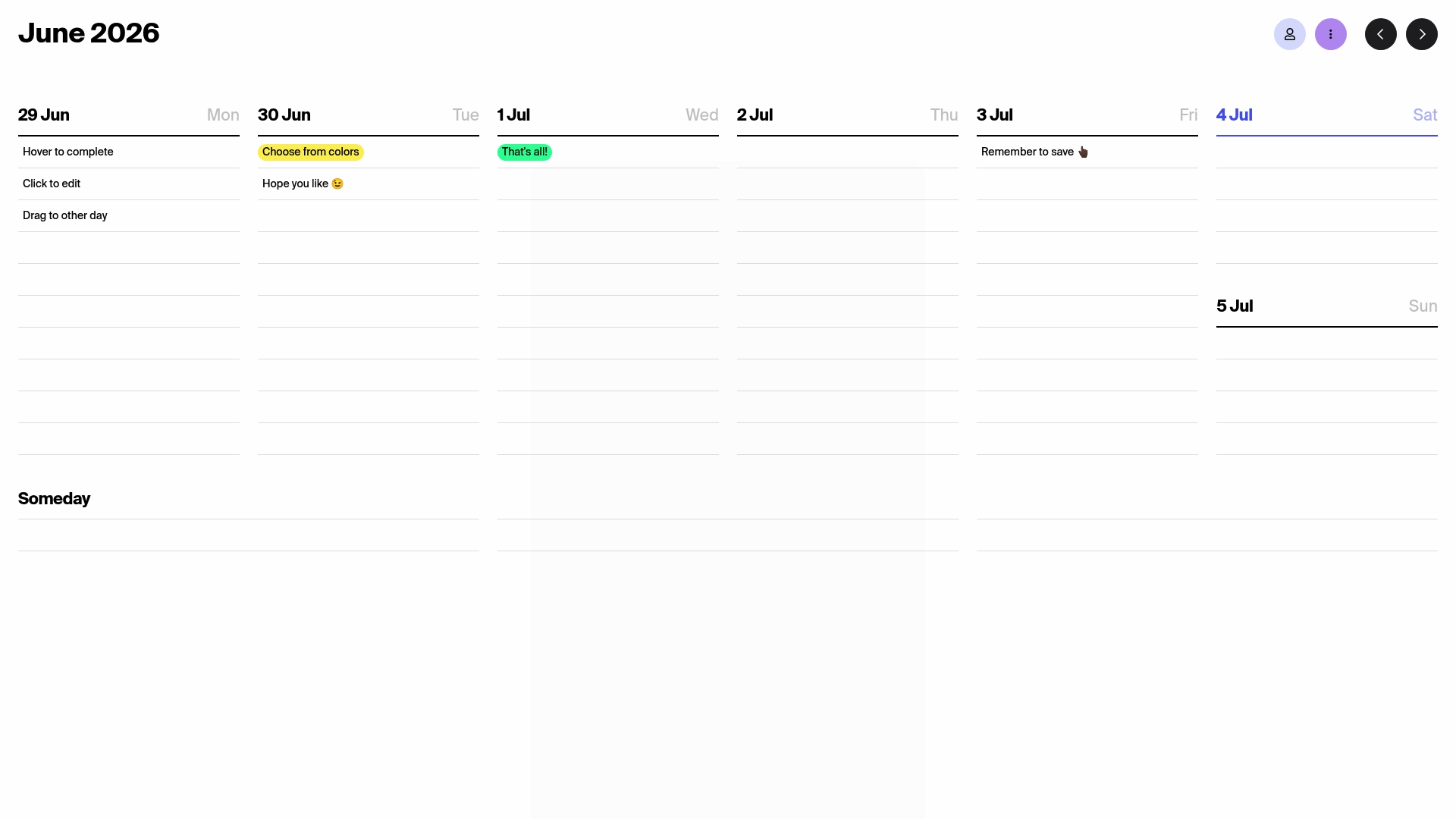
Tweek syncs with Google Calendar, Apple Calendar, Apple Reminders, and Outlook out of the box. The app mimics a pen and paper weekly layout while offering search, notes, attachments, and recurring tasks. Its interface stays intentionally minimal to reduce clutter and speed task capture. That focus keeps weekly planning fast for individuals and small groups.
Core Features
Tweek provides a clean weekly view plus month and day perspectives, so you can move items between time frames quickly. The app supports calendar sync, search, color coded tasks and notes, and in-task subtasks and attachments. You also get recurring tasks, push and email reminders, themes, sharing options, and multi calendar management across Mac, iPad, and iPhone.
Key Differentiator
Tweek aims for a natural, pen and paper feel while keeping calendars in sync across devices. That design narrows its scope to concise weekly planning rather than long running project workflows. Teams or people who want a lightweight weekly planner with reliable calendar sync will find Tweek draws less attention away from scheduled work.
Pros
The interface stays deliberately simple so you spend less time configuring and more time planning. Calendar synchronization with major providers makes it easy to keep work and personal events aligned across devices. The app handles notes, attachments, subtasks, and recurring tasks inside each item, which keeps related details in one place.
Cons
- Free plan limitations prevent access to essential sync features without a paid subscription.
- The product focuses on weekly planning and lacks deeper project tracking features typical in full project managers.
- There is no AI or GPT integration for automated task creation or suggestions.
When It May Not Fit
If you manage multi month projects with dependencies, Tweek will feel limiting because it emphasizes single week planning. Teams that need advanced reporting, time tracking, or integrated automation will need a different tool. Users who expect AI assisted workflows should look elsewhere since Tweek does not include GPT features.
Notable Integrations
Tweek connects with Google Calendar, Apple Calendar, Apple Reminders, and Outlook. Those integrations let you view and edit events in one place while keeping external calendars current. The list covers the major calendar providers most individuals and small teams already use.
Who It's For
Tweek fits individuals who prefer a paper like digital planner and want fast weekly organization across devices. It also suits families who share schedules and small teams that need a simple shared calendar without heavy project tools. Choose Tweek when clarity and low friction matter more than deep task management features.
Real World Use Case
A freelance designer places client calls, deadlines, and personal errands into Tweek each week. The designer links tasks to calendar events and adds subtasks for deliverables. Sharing the calendar with a collaborator keeps review meetings visible without switching apps.
Pricing
Tweek offers a free tier plus a Premium subscription for $5.99/month or $49.99/year. The paid plan unlocks full sync capabilities and advanced features that free accounts do not include.
Website: https://tweek.so
QTR
At a Glance
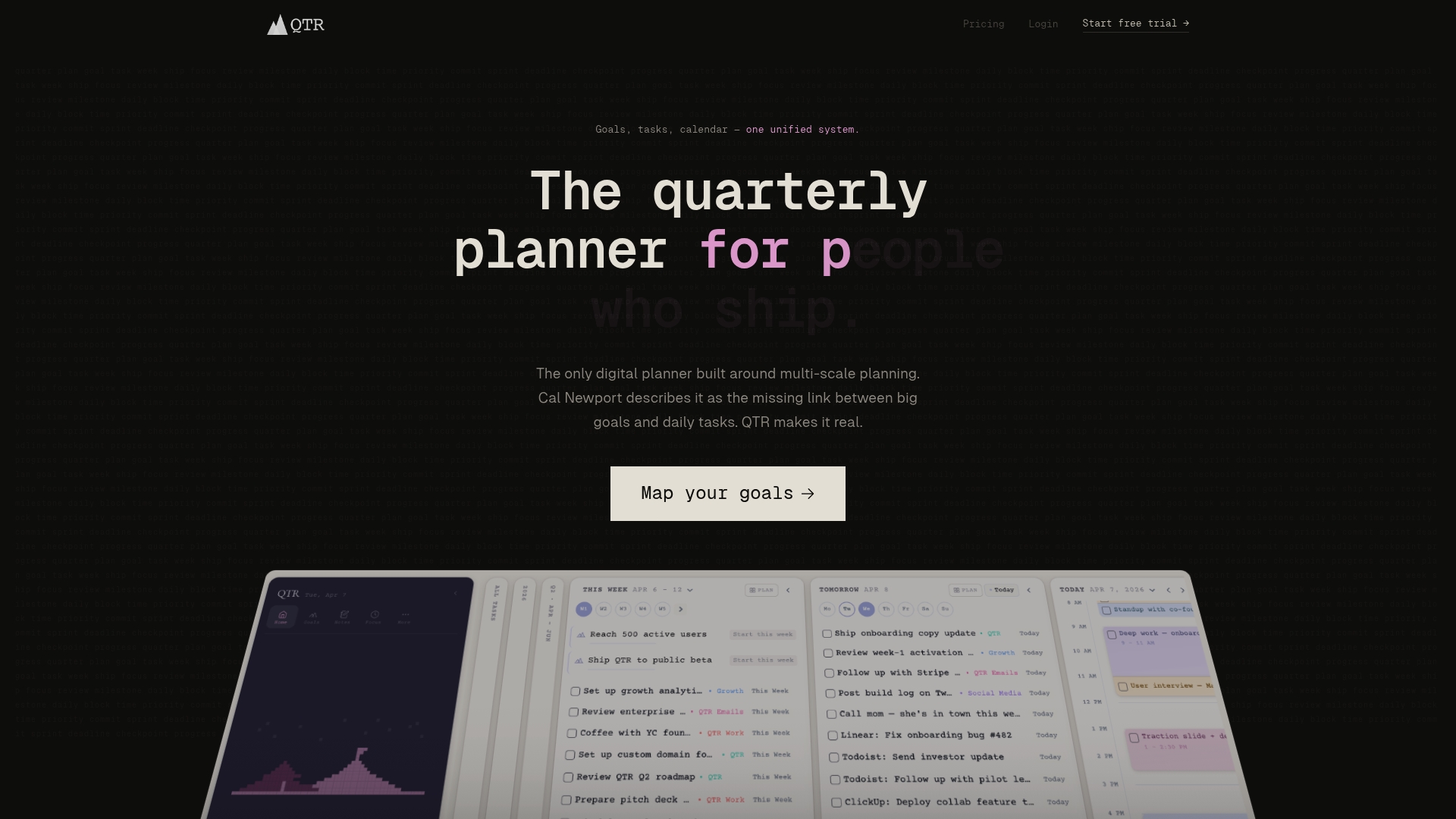
Multi scale planning covers year to day with visual goal maps that tie daily tasks to bigger objectives. That cascading view makes progress measurable and shows how small tasks ladder into quarterly outcomes. The vendor reports it is well reviewed for boosting productivity and clarity.
Core Features
QTR combines goal mapping with flexible time horizons so you can plan at quarter, week, day, and time block levels. It supports reverse engineering of goals into concrete plans and displays progress visually in the planner. Calendar sync works with Google Calendar, Notion, Asana, and other tools so existing workflows stay intact.
Key Differentiator
The visual goal mapping system connects long term objectives directly to daily tasks and time blocks. That direct link reduces guesswork about priority and keeps weekly plans aligned with quarterly targets. Tight calendar sync means plans appear alongside your existing schedule rather than living in a separate app.
Pros
The planner makes long term goals feel tangible by surfacing measurable progress in the same view where you schedule work. Integrations let you keep email and project tools as the source of truth while QTR overlays goal structure on top. Flexible planning and batching adapt when priorities shift, and teams can use the same visual map to coordinate efforts.
Cons
-
Limited detail on automation and reporting raises questions for teams that need centralized analytics.
-
Pricing tiers restrict some features to paid plans.
-
Managing deep goal hierarchies can become complex for users who prefer minimal structure.
When It May Not Fit
If you need advanced analytics or AI driven insights for forecasting, QTR may not meet those needs. Teams that require deep cross team automation or comprehensive reporting may find missing features. Solo users who only need a straight todo list will probably find QTR more structure than they want.
Notable Integrations
QTR syncs with common calendar and project tools so your timeline stays connected.
- Google Calendar
- Notion
- Asana
- Linear
- Trello
- Todoist
- Outlook
- Slack
Who It's For
Ambitious professionals and small teams who want one planner to tie daily work to quarter goals will benefit most. People who already use Google Calendar, Notion, or Asana get faster setup because sync reduces duplicate entry. If you need a minimal todo list this planner may add more process than necessary.
Real World Use Case
A product manager maps three quarterly objectives in QTR and breaks each into weekly sprints. They sync Asana and Google Calendar so sprint tasks live in their usual tools while the planner shows progress toward objectives. Daily time blocks then align with the sprint backlog and keep focus on the work that advances quarter goals.
Website: https://qtr.ai
Sunsama
At a Glance
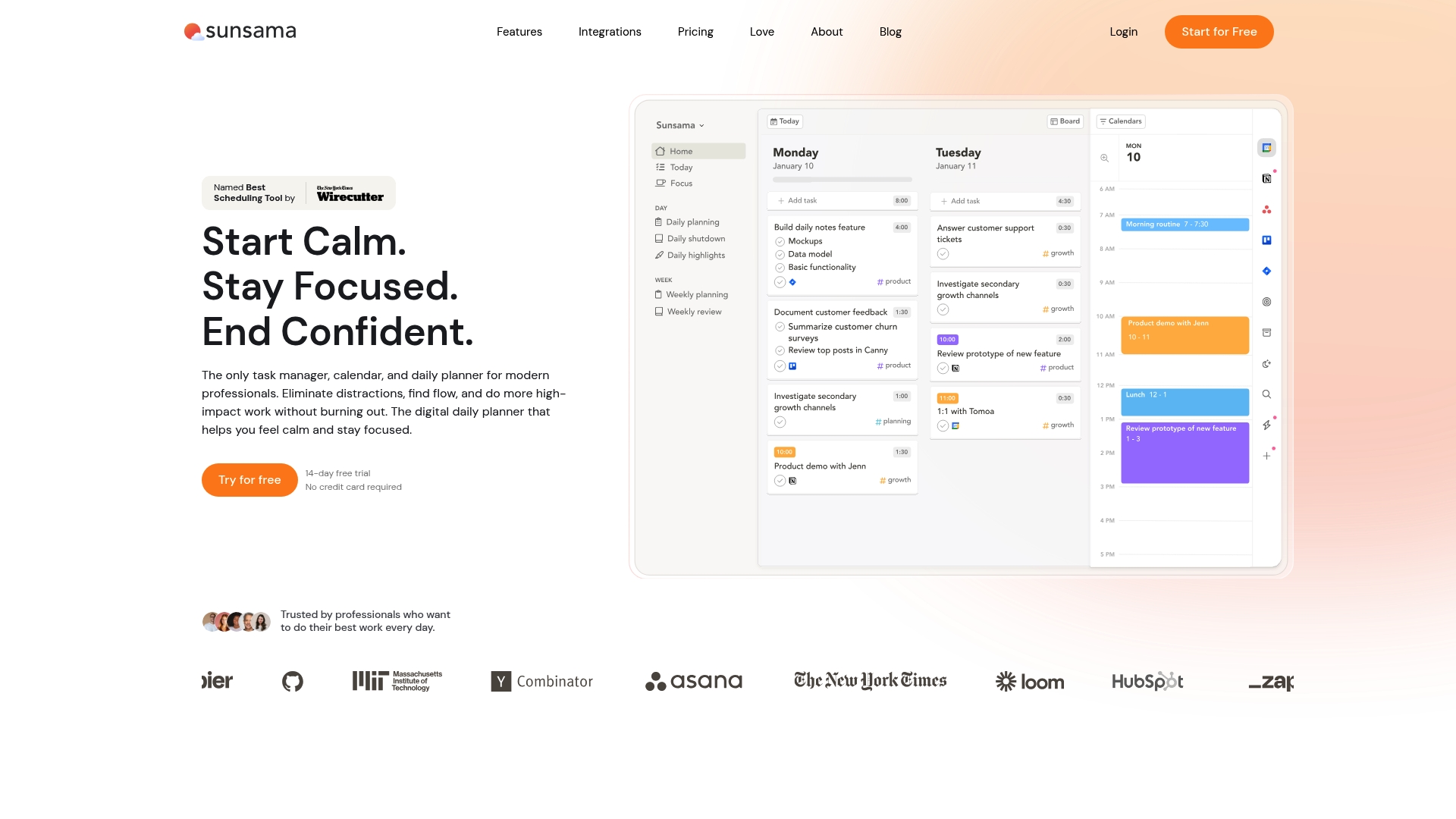
Recognized as the best scheduling tool by The New York Times Wirecutter, Sunsama centers daily rituals and time blocking to protect focus. It combines tasks, meetings, and project tools into one daily plan you edit each morning. Guided routines and simple analytics steer work toward sustainable hours and clearer boundaries.
Core Features
Daily planning links your goals to a visible workload so you plan realistic days. Time blocking, focus mode, and Pomodoro timers let you protect blocks and measure focus sessions. Two way calendar sync with Google, Outlook, and Apple Calendar plus deep links to Asana, Trello, Jira, Notion, and other tools bring tasks into a single view.
Key Differentiator
Sunsama builds rituals for how you start and end workdays, not just a task list. That ritual focus shifts attention to daily decision making and guarded focus time. The product aims to create consistent work habits rather than only tracking more items.
Pros
The interface stays deliberately calm, which reduces distraction while you plan each morning. Integrations with major calendars and project tools keep work consolidated across systems, which saves time switching apps. Automated reminders, workload tracking, and end of day summaries support steady habits without manual follow up.
Cons
- Pricing requires payment for full access, which limits casual users who prefer free plans.
- Some users report a learning curve to master guided rituals and integrations.
- The feature set favors individual daily planning, which may leave complex team project workflows wanting.
When It May Not Fit
If you need a permanently free plan, this product will feel limiting because full access requires payment beyond a trial. Teams that need heavy project reporting or advanced permission controls may find the feature set narrow. Buyers who prefer no setup and immediate use without learning new rituals may prefer a simpler planner.
Notable Integrations
- Google Calendar
- Outlook
- Apple Calendar
- Asana
- Trello
- Jira
- GitHub
- Notion
- Todoist
- Slack
- Teams
- Zapier
Who It's For
Professionals who want a calm, intentional routine for daily work and focus will get the most value. People juggling meetings and tasks across tools who want a single morning planning ritual fit this tool. Those ready to pay for a premium, professional grade planner will find the approach rewarding.
Real World Use Case
A product manager opens Sunsama each morning, pulls tasks from Asana and Jira, schedules meetings, and blocks two focus sessions. The manager uses Pomodoro timers during those blocks and logs wins at day end. That routine reduces context switching and lowers the feeling of chronic overload.
Pricing
The Pro plan is $17 per month billed yearly or $22 per month billed monthly. Enterprise options are available by contact for larger teams and bespoke needs.
Website: https://sunsama.com
Comparison of Alternatives
Among the selected weekly planner applications, varied design philosophies cater to unique user needs and scenarios, spanning offline functionality to integrated workflows.
Offline Versus Cloud-Based Scheduling
Qweekly.eu offers the distinct advantage of operating entirely offline and securely storing data locally. This feature is particularly beneficial for privacy-conscious individuals or professionals seeking a simplified planner with low management overhead. In comparison, Tweek.so and QTR require cloud-based accounts for user data synchronization, impacting privacy control. Sunsama.com, while presenting a online planning experience, similarly depends on cloud integration for its functionality.
Workflow Versatility
QTR distinguishes itself with its goal mapping system, allowing users to align daily tasks with quarterly objectives effectively. This capability provides clear visibility into progress toward long-term goals, making it an excellent choice for professionals managing projects. Conversely, Sunsama emphasizes daily rituals with time blocking and focus-enhancing tools, catering to users wishing to cultivate productive habits through structured routines. Qweekly's intuitive drag-and-drop interface coupled with automatic task rescheduling is designed for users with fragmented availability who require practical and immediate scheduling updates.
Best Fit
- Private and simple scheduling: Qweekly is designed for users with sensitive data or those preferring local data storage, while requiring minimal setup.
- Lightweight planning needs across synced calendars: Tweek suits families or small teams wanting a straightforward planner with external calendar synchronization.
- project and goal mapping: QTR supports ambitious professionals who manage detailed workflows spanning daily to quarterly objectives.
- Guided morning routines for productivity: Sunsama targets those valuing structured daily rituals and sustainable work practices.
Our Pick
Qweekly.eu emerges as our recommended choice for readers who prioritize privacy, simplicity, and direct functionality. Its deterministic overload prevention and offline operation perfectly serve freelancers, parents, or privacy-concerned users juggling various responsibilities daily. For scenarios demanding advanced integrations and collaborative project management, considering alternatives like Tweek, QTR, or Sunsama might be advantageous.
Choosing the right weekly planner app can greatly enhance task management and scheduling. Below is a comparison of prominent options in the market, emphasizing decision-relevant factors.
| Product | Key features | Notable benefit | Pricing | Limitation |
|---|---|---|---|---|
| Qweekly | Offline, deterministic overload prevention algorithm | Local data storage, lifetime updates | €29 one-time fee | No integrated cloud backup |
| Tweek | Weekly/monthly views, calendar sync | Paper-like interface, lightweight task management | Free or $49.99/year | Free tier lacks full sync features |
| QTR | Goal mapping, time horizon flexibility | Links daily tasks with long-term objectives | Price not published | Complexity for users needing a minimal approach |
| Sunsama | Daily rituals, time-blocking tools | Encourages focused work through routines | $17/month annual billing | Steeper learning curve for guided rituals |
How to Manage Fragmented Time Without Overloading Your Schedule
People who juggle multiple responsibilities benefit from a planner that respects their real availability. Many productivity tools risk overloading days or require complicated setups that add stress instead of reducing it. Qweekly is built for busy professionals balancing client work, family, and side projects. Its offline weekly planner uses a visual layout and a smart overload-protection method to keep your schedule realistic.

See how Qweekly’s quick-capture inbox and drag-and-drop planning keep your micro-moments productive without rigid deadlines. Visit Qweekly to try a tool that helps you plan around your actual time and avoid packed days.
FAQ
How does Qweekly support private planning?
Qweekly runs entirely on your personal computer with no cloud accounts required. This offline functionality ensures your planning data stays private while allowing immediate access without accounts or subscriptions. Users seeking a reliable and discreet planning experience should consider Qweekly.
What is the difference between Qweekly and Tweek?
Tweek excels at syncing with major calendar platforms like Google Calendar and Apple Calendar, making it ideal for users who value integrated scheduling across devices. Qweekly, on the other hand, is designed for users prioritizing local storage and privacy, which is beneficial for those who prefer not to rely on cloud services.
Can I track progress with Qweekly's features?
Qweekly uses a visual weekly planner that allows users to drag and drop tasks into specific micro moments, making it easy to manage and track daily productivity. This visual approach makes it simple for users to see their available time and adjust tasks as life circumstances change.
Does Qweekly offer lifetime access without subscriptions?
Yes, Qweekly provides a one-time fee of €29 for lifetime access and updates, eliminating ongoing subscription costs. This pricing structure appeals to users who prefer a no-strings-attached purchasing model without worrying about future fees.
How does Qweekly handle unfinished tasks?
Qweekly automatically reschedules unfinished tasks, which helps maintain realistic daily capacity without overwhelming the user. This feature is particularly beneficial for those balancing multiple commitments, as it allows for flexibility in planning.